
Artlist and Motion Array are two of the most popular stock footage subscriptions for creators, with an interesting twist: Motion Array is actually owned by Artlist. Despite their relationship, each platform has its distinct features and pricing structures that appeal to different types of creators.
I’ve spent years using both platforms. For this comparison of Artlist vs. Motion Array, I once again explored their libraries, downloaded assets, and tested their creative tools to see how they stack up against each other in 2025. After a thorough evaluation, here’s what I found about these two creator-focused platforms.
- Artlist vs. Motion Array at a glance
- Motion Array offers more content variety
- Artlist provides RAW/LOG and higher-quality footage
- Motion Array is more affordable for most users
- Artlist offers better tools for serious video editors
- Both provide solid licensing with minor differences
- Which should you choose?

Artlist
Unlimited downloads of stock footage, templates, music, stems, SFX, and presets. Also includes text-to-speech, AI image and video generators, copyright protection, 50+ video editing plugins, and Premiere Pro extension.

Motion Array
Includes unlimited downloads of footage, motion graphics, presets, video templates, audio, images, and luts. You also get AI Voiceovers, 50+ video-editing plugins, and an Premiere Pro extension.
Artlist vs. Motion Array at a glance
Before diving into the detailed comparison, here’s a quick overview of how these two stock media platforms stack up against each other.
| Artlist | Motion Array | |
|---|---|---|
| Content library | ⭐⭐⭐⭐ 300K videos, music, SFX, stems, and video templates | ⭐⭐⭐⭐ 2 million videos, music, SFX, graphics, photos, video templates, presets, motion graphics |
| Quality | ⭐⭐⭐⭐⭐ Highly curated collection with premium 8K footage; RAW/LOG footage add-on | ⭐⭐⭐⭐ High-quality assets with 8K footage, but slightly less curated |
| Pricing | ⭐⭐⭐⭐ No monthly plans. 2 extra months discount for Photutorial readers. Music & SFX Social: $9.99/month; Music & SFX Pro: $24.92/month; Footage & Templates: $31.99/month; Artlist Max: $39.99/month | ⭐⭐⭐⭐⭐ Annual plans are 33% cheaper than month-to-month plans. 2 extra months discount for Photutorial readers. Video Templates: $15.99/month; Everything: $24.99/month |
| Ease of use | ⭐⭐⭐⭐ Modern interface with AI-powered search | ⭐⭐⭐ Good but can be unintuitive for some users |
| AI | ⭐⭐⭐⭐ AI image, video, and speech generators | ⭐⭐ AI speech generator |
| Other tools | ⭐⭐⭐⭐⭐ Clearlist copyright protection; Premiere Pro library extension; 50+ video editing plugins for Premiere Pro, After Effects, Final Cut Pro, and DaVinci Resolve | ⭐⭐⭐⭐ Premiere Pro, After Effects, Photoshop library extensions; 50+ video editing plugins for Premiere Pro, After Effects, Final Cut Pro, and DaVinci Resolve |
| Special deal | 2 extra months free | 2 extra months free |
Motion Array offers more content variety
When searching for creative assets, library size often matters. Motion Array wins decisively in terms of quantity, offering over 2 million digital assets, while Artlist has a more modest collection of approximately 310,000 combined assets.

Motion Array’s library covers a broader range of creative needs with videos, templates for multiple editing platforms, presets, motion graphics, stock photos, vectors, icons, illustrations, music, and sound effects. This makes it a better one-stop shop for creators who need diverse assets beyond just video and audio.
The platform organizes content into clear categories, making it easy for users to quickly find what they need. When I tested the search feature, I found that Motion Array returns more results for general searches like “business meeting” or “nature background” because of its large library.

Motion Array is compatible with multiple editing platforms, including After Effects, Premiere Pro, Final Cut Pro, DaVinci Resolve, and Premiere Rush. This makes it a great option for users who need templates. The library also includes MOGRT files, which make it easy to use templates in Adobe products.
Both platforms have a daily download limit in place to prevent system abuse. Motion Array allows 150 downloads per day across all types of assets. Artlist, on the other hand, has specific limits for each category: 40 songs, 100 sound effects, 40 templates, and 100 video clips daily. For most creators, these limits are generous and won’t affect their normal workflows.
Artlist provides RAW/LOG and higher-quality footage
While Motion Array offers more content, Artlist focuses on quality through careful curation. When comparing video footage, Artlist typically delivers more professional results with better lighting, composition, and technical quality.
Both platforms provide footage up to 8K resolution, but Artlist also offers RAW and LOG formats. This unprocessed footage gives you complete control over color grading and visual style. You can add it to the Footage & Templates plan for an extra $17.93 monthly or to Artlist Max for $20 monthly. Motion Array lacks similar raw format options.

In side-by-side testing of similar clips from both platforms, Artlist’s footage showed better dynamic range, more thoughtful framing, and more professional lighting. These quality differences become most clear in challenging conditions like low light or high-contrast scenes.
For audio, both platforms offer quality tracks, though Artlist updates its music collection more regularly. Artlist also provides stems for certain music files, giving editors more control over audio mixing.
Motion Array is more affordable for most users
For creators on a budget, Motion Array presents a more accessible entry point. Its Video Templates plan starts at just $15.99 per month (billed annually) or $23.99 month-to-month. This provides access to motion graphics, video templates, and presets. This is enough for YouTubers and social media creators who need overlay elements and intro/outro sequences. Motion Array’s Everything plan costs $24.99 per month (annual) or $39.99 (monthly) and includes all asset types, video editing plugins, Adobe extensions, plus 75,000 AI voiceover credits.

Artlist offers a broader array of subscriptions. Their entry-level Music & SFX Social plan costs $9.99 per month (annual) or $14.99 per month (monthly), making it ideal for individual creators. If you want to do client work and have the ability to monetize up to 3 channels per social media platform, you need the Music & SFX Pro for $24.92 per month.
The Footage & Templates plan costs $31.99 per month, while the complete Artlist Max plan is $39.99 per month. The Max plan offers a range of features: music, sound effects, footage, templates, Adobe extensions, over 50 video editing plugins, and 5,000 AI credits.

For teams, Motion Array offers collaborative accounts at $323.99 per year per member (up to 7 users). Artlist offers team plans with slightly lower per-member rates: Music Teams ($14.08/month per member), Music & SFX Teams ($21.17/month per member), and Max Pro Teams ($33.99/month per member) for teams of 2-7 members.
Both services offer Photutorial readers an identical promotion: 2 extra months free with annual subscriptions, effectively reducing the annual cost by about 17%. Neither platform offers student discounts or non-profit pricing.
For individual creators and small businesses primarily focused on video templates and basic assets, Motion Array offers a better overall value at $24.99 per month for everything, compared to Artlist’s $39.99 per month Max plan. However, Artlist offers more specialized options, such as 8K resolution footage, RAW/LOG footage add-ons, AI Suite plans with extensive credits, and their Clearlist copyright protection, which may be essential depending on your workflow needs.
Read more: Artlist pricing guide
Artlist offers better tools for serious video editors
Both platforms offer helpful workflow tools, but Artlist stands out with more advanced features for professional video editors.
Artlist and Motion Array each include over 50 video editing plugins for major platforms such as Premiere Pro, After Effects, Final Cut Pro, and DaVinci Resolve. These plugins are managed through a central hub that handles installation and updates for you.
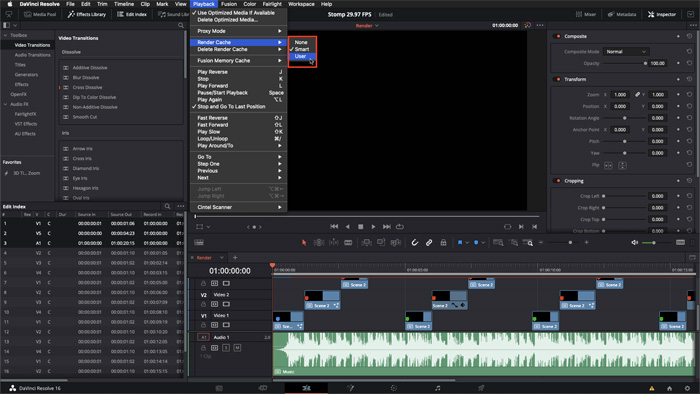
You can use both libraries within Adobe Premiere Pro, while Motion Array also supports After Effects and Photoshop. Their extensions let editors access and preview assets seamlessly within their workspace, so you can see media synced to your timeline without leaving your editing environment.
Hiring a voice actor can be expensive and slow. To help with narration, both Artlist and Motion Array offer AI voiceovers with similar features: you get multiple accents (American, Australian, British, and Indian), speed controls, and options for emotional tone. Artlist Max includes 50,000 voiceover credits, while Motion Array’s Everything plan provides 75,000 credits.

My biggest worry has always been copyright strikes—even with licensed royalty-free assets, you can still get one, and resolving it can take a lot of time. Artlist’s unique Clearlist tool offers peace of mind for creators worried about copyright claims. It connects directly to platforms like YouTube, Facebook, Instagram, and TikTok to confirm your license and quickly fix any false claims. Motion Array doesn’t currently have a similar copyright protection tool.
Both provide solid licensing with minor differences
Both platforms use royalty-free licenses that allow broad use of downloaded assets, though there are some key differences in their terms.
Artlist offers two license types: Social and Pro. The Social license, included with Music & SFX – Social plans, covers personal projects on one channel per social platform. The Pro license, included with all other plans, allows commercial and client use, covering up to three monetized accounts per platform.
Motion Array provides a single standard license for all subscriptions, which lets users create films, videos, presentations, websites, ads, and even print materials (up to 500,000 copies).
Both platforms, like most royalty-free licenses, forbid using assets in content ID systems, logos, trademarks, and reselling them as standalone items. They also ban using them to train AI systems or create deepfakes. Indemnity protection is not included, but enterprise clients can request a custom license that provides indemnity.
Motion Array also offers a higher daily download limit (150 items) compared to Artlist’s category-specific caps, though both limits are generous enough for most needs.
For most creators, these licensing differences won’t affect daily workflows. Still, those working with enterprise clients should be aware that standard licenses from both platforms do not include indemnity protection.
Which should you choose?
After using both platforms for years, it’s clear to me that each serves different creator needs. Here’s my recommendation on which to choose:
Choose Artlist if:
- You need 8K footage or RAW/LOG video formats for professional projects
- Video quality is more important than library size
- Your work appears on monetized platforms where copyright claims are a concern
- You’re primarily a video editor using Premiere Pro and want seamless integration
- You need music with stems for detailed audio control
Choose Motion Array if:
- You want the most assets for your money across multiple categories
- Your budget is limited and you need a more affordable option
- You require a wide variety of templates for different editing platforms
- You collaborate with clients and would benefit from the Review tool
- You need more AI voiceover credits included in your subscription
Both services offer excellent value for unlimited stock media subscriptions, and both provide Photutorial readers with 2 free months on annual plans. For many creators, the choice will come down to specific needs around video resolution, copyright protection, and budget constraints.
Artlist
Unlimited downloads of stock footage, templates, music, stems, SFX, and presets. Also includes text-to-speech, AI image and video generators, copyright protection, 50+ video editing plugins, and Premiere Pro extension.
Motion Array
Includes unlimited downloads of footage, motion graphics, presets, video templates, audio, images, and luts. You also get AI Voiceovers, 50+ video-editing plugins, and an Premiere Pro extension.