An app that facilitates buying and selling items among NYU Students on the Manhattan and Brooklyn campuses. Items that can be exchanged include coursework notes, textbooks, or furniture. Special recommendation features are implemented to help users discover new items.
- Category: Shopping
- Mobile: This a mobile-first platform that takes advantage of the visibility the App Store offers to the iOS apps it hosts. People can easily use their phone camera to capture images of the items they would like to sell, and buyers can instantly respond to posts and stay updated on item statuses with real-time notifications.
- Story: Marketplace for buying and selling items used by students, from tables to textbooks. Sellers can list items for sale and be contacted by interested buyers on their campus. For academic-related posts, coursework tag identifiers will be assigned to sellers to match them to potential buyers that take the same classes.
- Market: At launch this app will be tailored to NYU students, featuring campus and dorm-specific categorization. Future plans include expansion to other colleges.
- Habit: A daily or weekly brief notification will be pushed to users to inform them of newly-listed items in their followed categories.
- Scope: The main item categories we will be focusing on initially is furniture and academic, each having its own dedicated section in the app. Furniture will serve as a catch-all for miscellaneous items, but over time we plan on structuring a more comprehensive categorization system that makes specific items more discoverable to potential buyers. Additionally, we plan on expanding to other colleges once we a reach a critical mass of users at NYU.
Required Must-have Stories
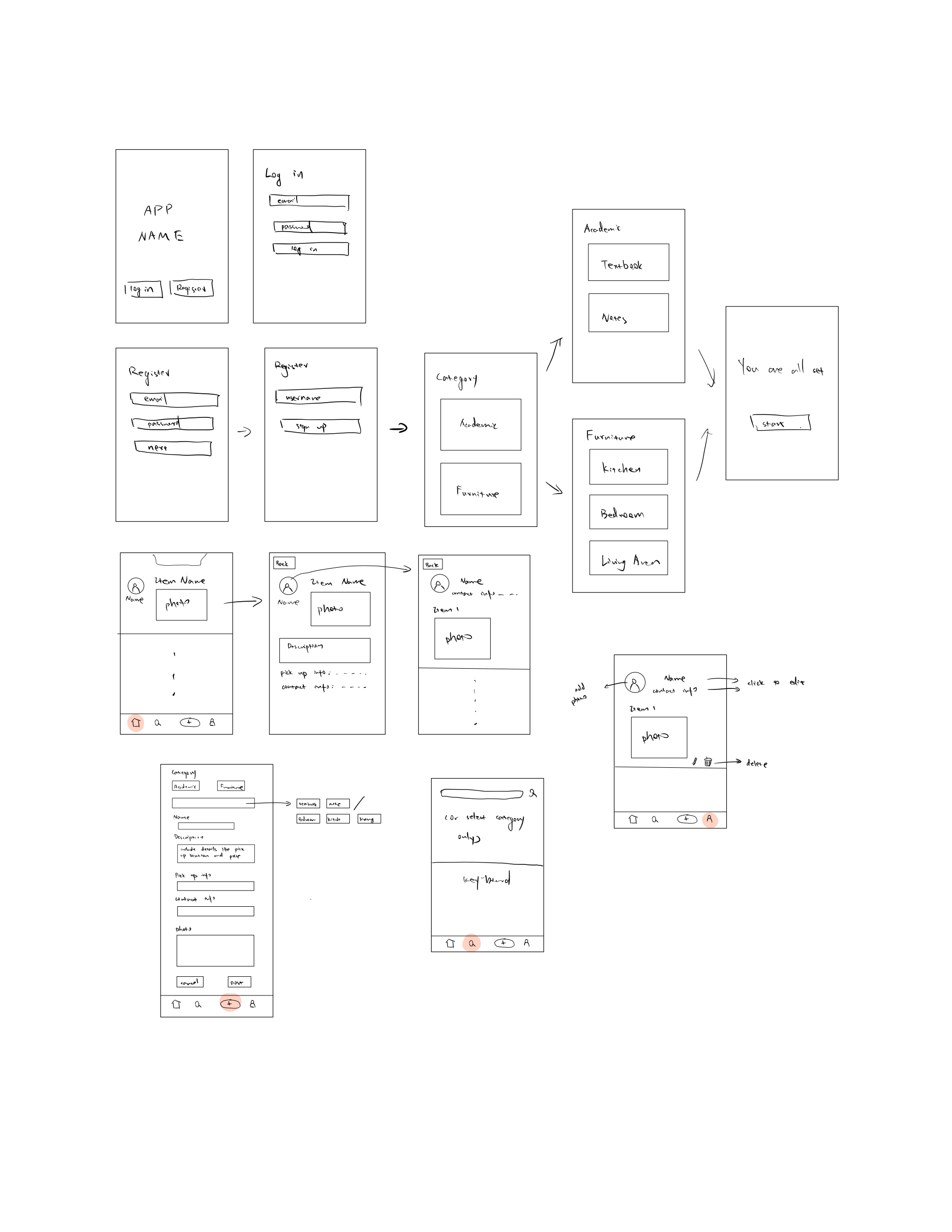
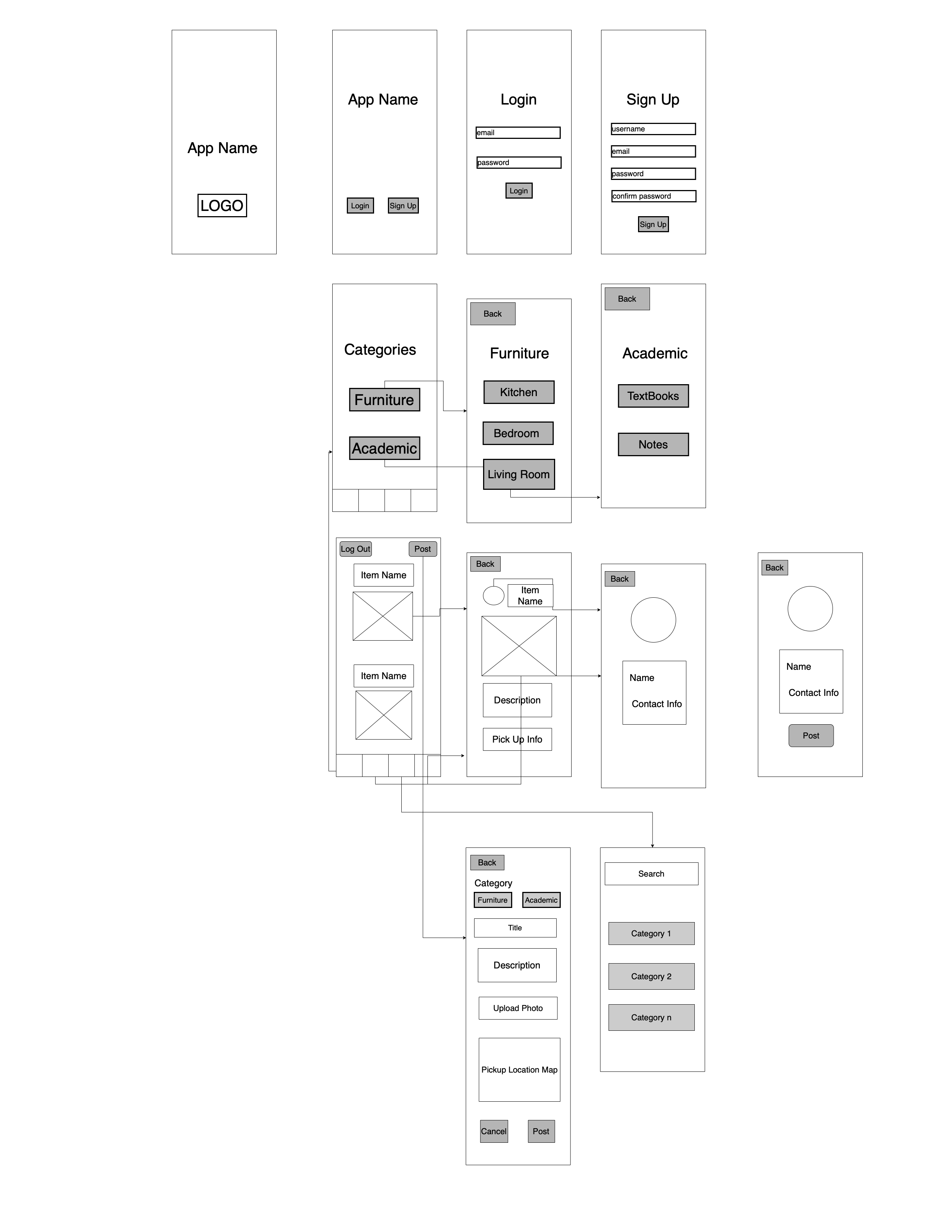
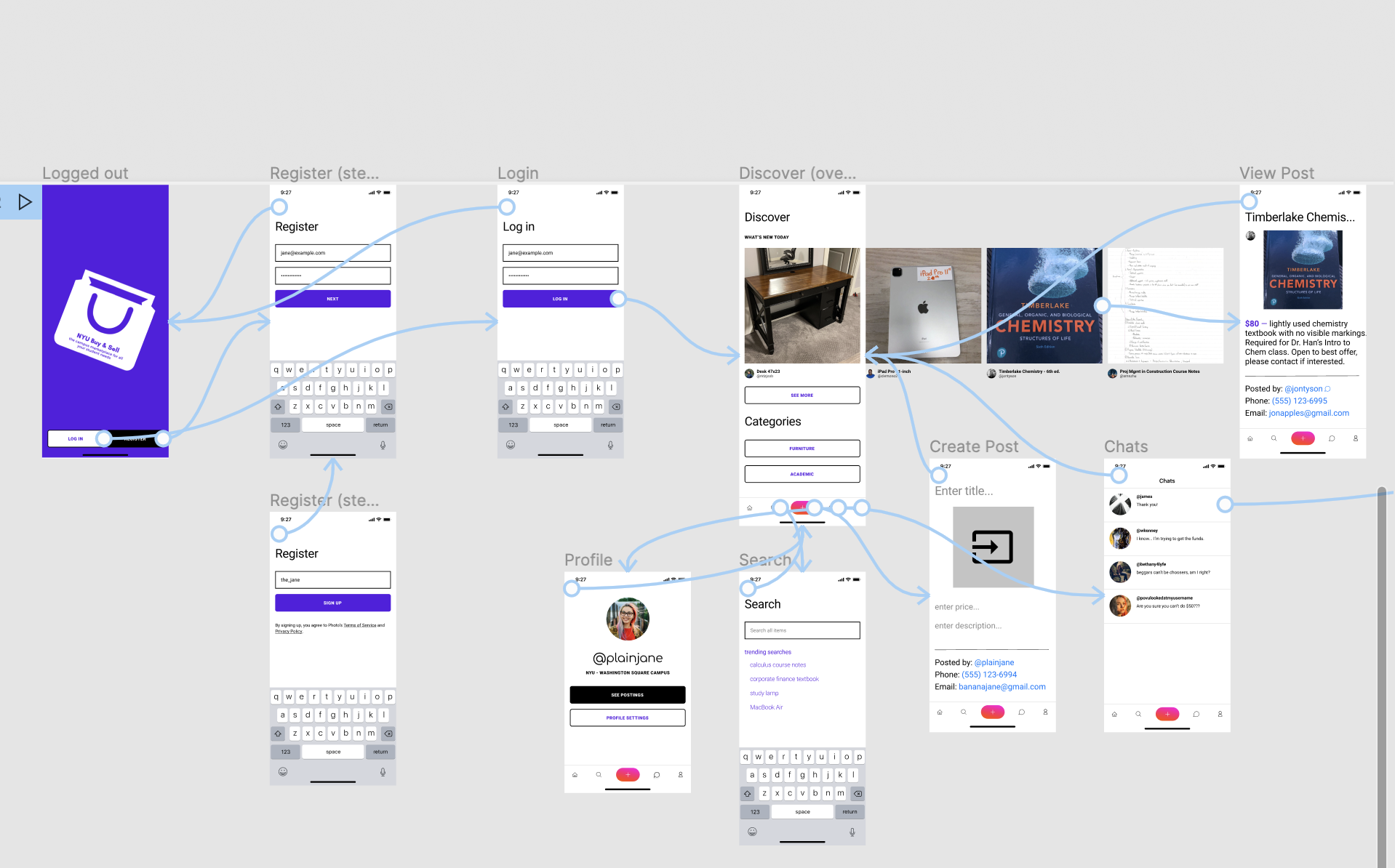
- User can create and log in to their account


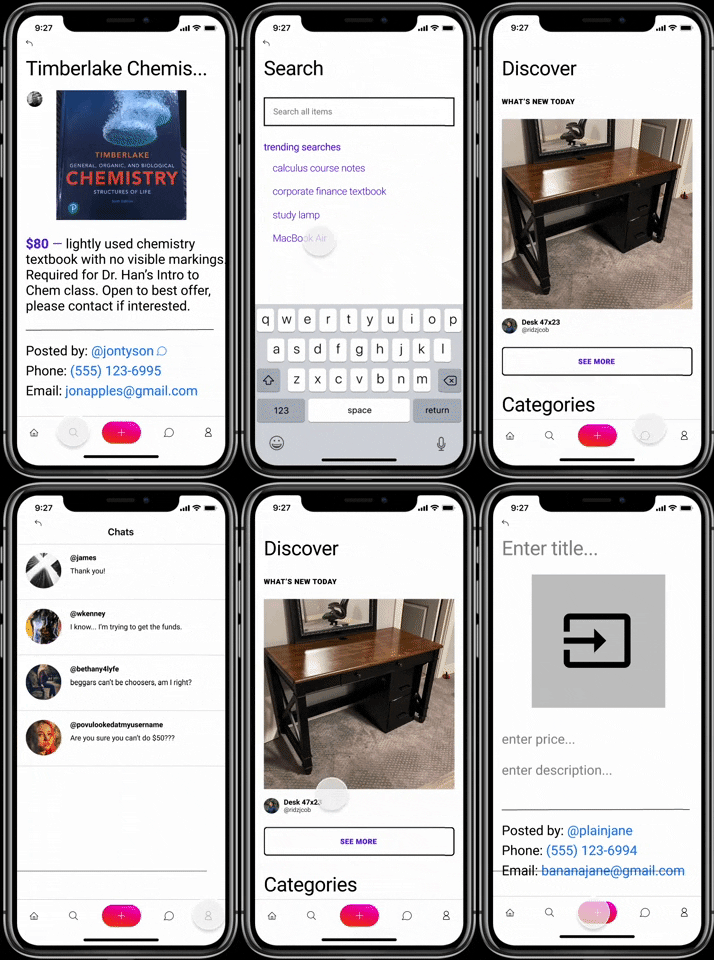
- User has a page to create a new post

- User stays logged in

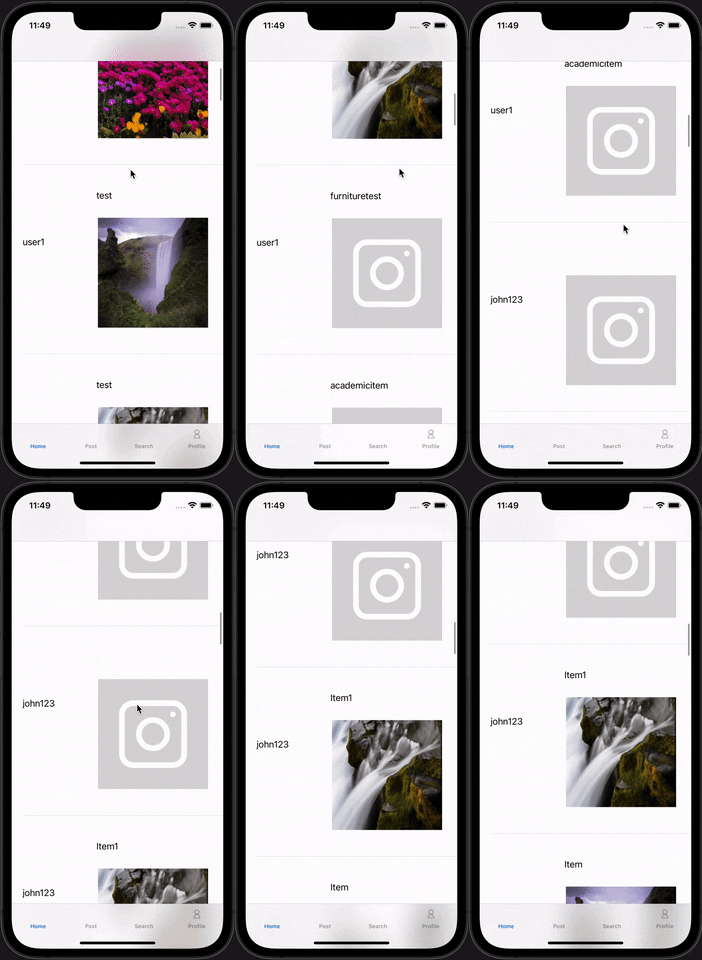
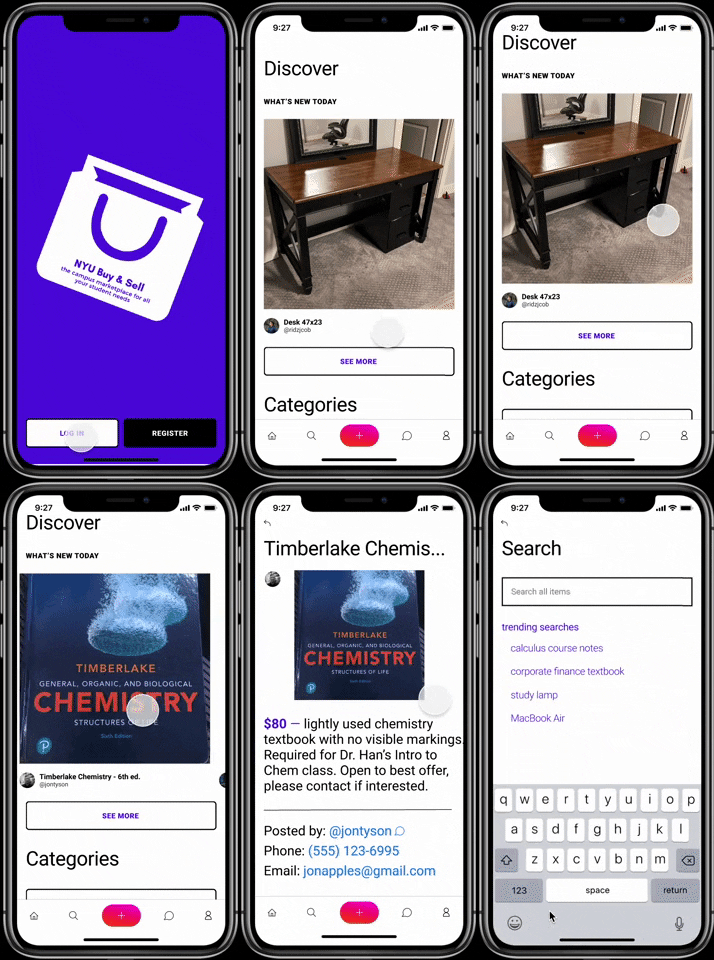
- View a home feed of recently posted items
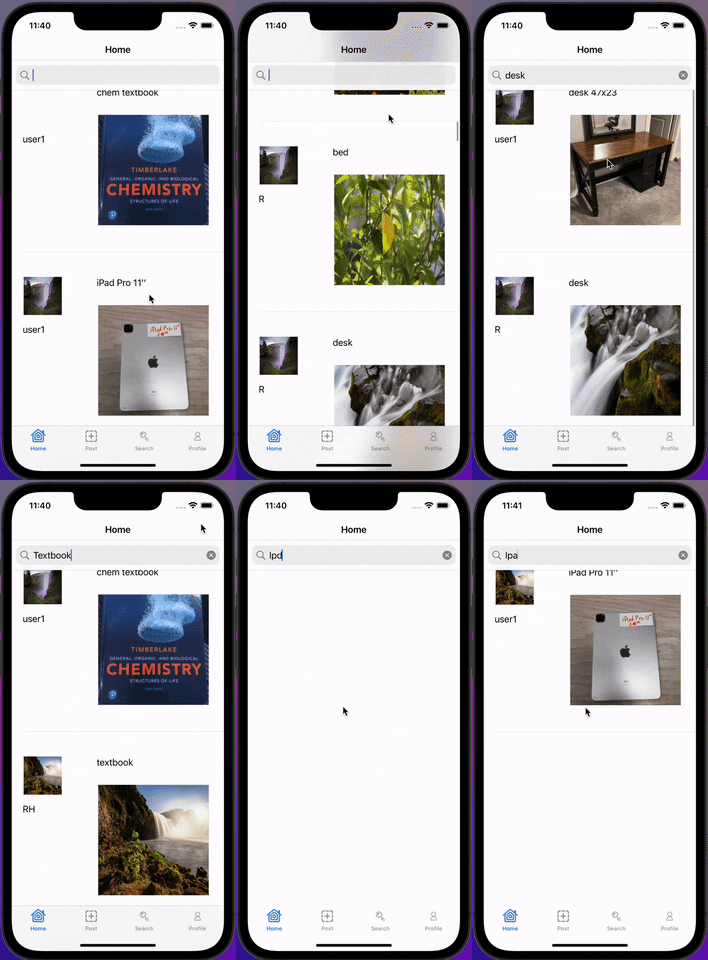
- Search through list of available items by keyword
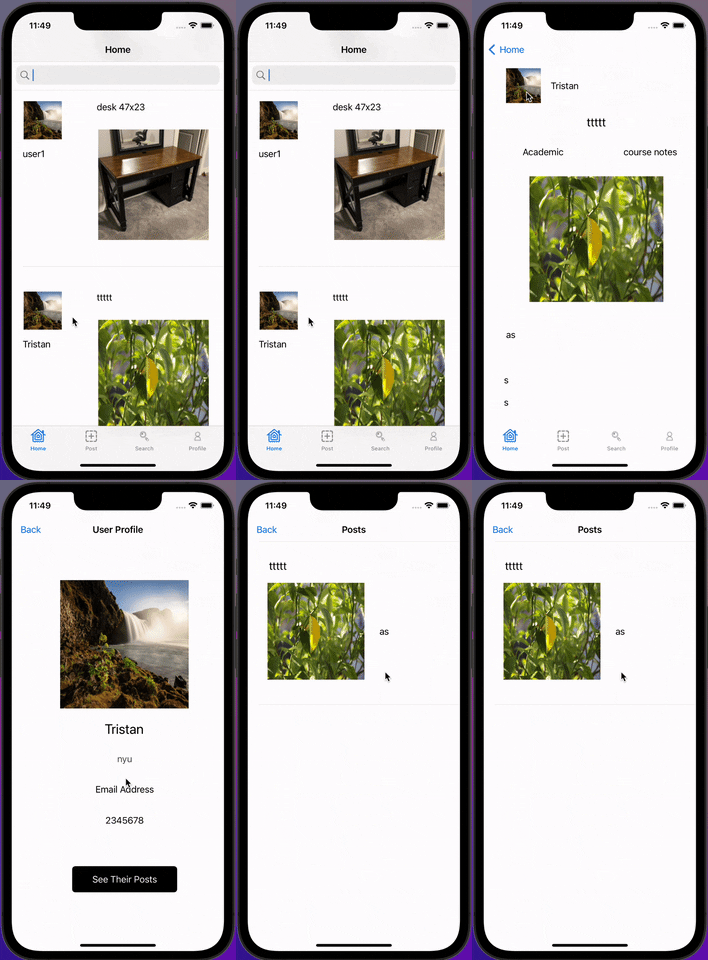
- Descriptions of each item

- See each user's profile (incl. items they are selling) and option to change information on own profile
- List contact info (email, phone #) of sellers

Optional Nice-to-have Stories
- Map of pickup location
- Arrange a meeting time/place between buyer and seller
- Chat with buyer
- Login/create account
- User can create and log in to their account
- Maybe at the beginning selct a category
- Stream
- View a searchable list of available items based on the category they selected
- Detail
- Show detail of the selected item
- Descriptions of each item
- Search
- View a searchable list of available items
- Creation
- Create a new selling post
- Profile
- See each user's profile (items they are selling and their needs)
- Settings
Tab Navigation (Tab to Screen)
- Home screen
- Search item
- Settings
- View personal profile
Flow Navigation (Screen to Screen)
- Login screen
- -> Main home screeen
- Home screen
- -> Post creation
| Property | Type | Description |
|---|---|---|
| objectId | String | unique id for the user post (default field) |
| author | Pointer to User | image author |
| image | File | image that user posts |
| description | String | description of the selling item |
| userContactNumber | String | author's contact phone number |
| userEmail | String | author's contact email |
| pickupInfo | String | information on picking up the item |
| category | String | defines which category the user is posting under (furniture/academic) |
| createdAt | DateTime | date when post is created (default field) |
| updatedAt | DateTime | date when post is last updated (default field) |
-
Home Feed screen
- (Read/GET) Query all posts in their selected category
- (Read/GET) See the detail of selected post
- (Delete/DELETE) Delete post
-
Create Post screen
- (Create/POST) Create a new post object
-
Profile Screen
- (Read/GET) Query logged in user object
- (Update/PUT) Update contact info
- (Update/PUT) Update NYU Campus preferences (Wash Sq/Brooklyn/Both)
- (Update/PUT) Update profile picture
-
Login Screen
- (Read/GET) Query user object
-
Sign up Screen
- (Create/POST) Create a new user object
-
Search Screen
- (Read/Get) Get relevant post